
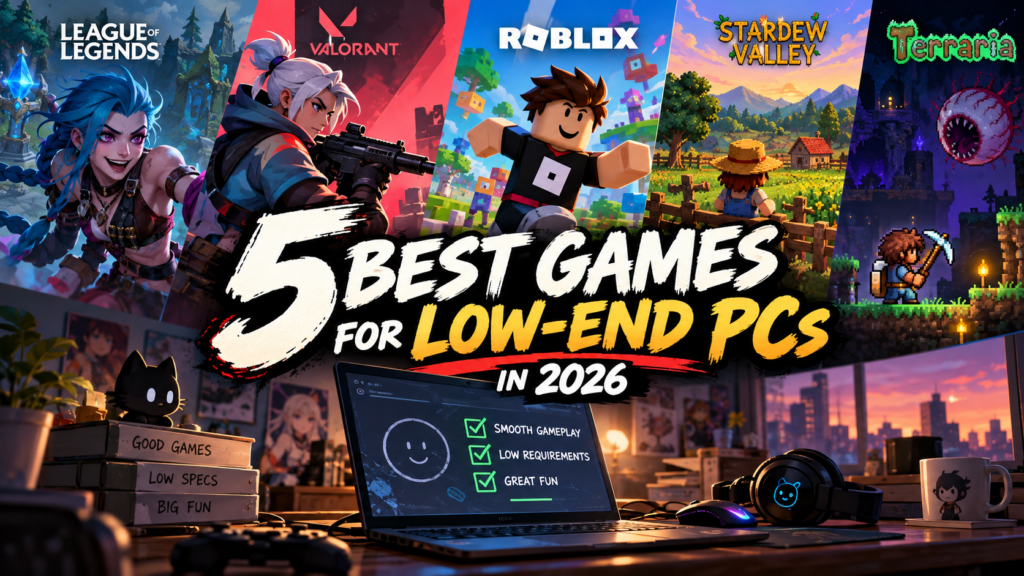
Think you need an expensive gaming PC to have a great time? Think again.
Not everyone has a powerful graphics card, 32GB of RAM, or a shiny new processor. Sometimes, you’re gaming on an old laptop, a budget desktop, or a PC that sounds like it’s preparing for takeoff whenever you launch a game.
But here’s the good news: you don’t need a high-end PC to enjoy great games in 2026.
From competitive shooters to relaxing farming adventures and massive sandbox worlds, plenty of games can deliver hours of entertainment without demanding expensive hardware.
Whether you’re looking for your next multiplayer obsession or a game to enjoy after a long day, we’ve picked five excellent options worth checking out. Let’s find your next favorite game!
1. League of Legends — Competitive Gaming Without the Huge Price Tag
Genre: MOBA, Strategy, Multiplayer
Price: Free-to-play
Best for: Competitive players who enjoy teamwork and strategy
If you love competitive games but don’t want to spend a fortune upgrading your PC, League of Legends is a great place to start.
The game puts two teams of five players against each other in strategic battles. Your objective is to work with your teammates, outsmart the opposing team, and destroy their Nexus. Sounds simple enough, right? Well, things get complicated quickly.
With a huge roster of champions, each featuring unique abilities and playstyles, there’s always something new to learn. You might prefer charging into battle, supporting your teammates, or carefully controlling the map. Whatever your style, there’s a champion for you.
Why should you play it?
- Endless replayability: Every match brings different challenges and decisions.
- A competitive experience: Improve your skills and climb the ranked ladder.
- No purchase required: You can start playing without buying the game.
- Relatively modest hardware requirements: It’s more accessible than many modern, graphically demanding games.
Can your low-end PC run it?
Riot Games lists a minimum of 2GB of RAM, an Intel Core i3-530 or AMD A6-3650 processor, and compatible DirectX 11 graphics hardware. However, meeting the minimum specifications doesn’t guarantee smooth performance on every system.
Our verdict: If you enjoy teamwork, strategy, and competitive matches that keep you coming back for more, League of Legends deserves a spot on your PC.
2. VALORANT — Prove Your Aim, Not Your Graphics Card
Genre: Tactical FPS, Multiplayer
Price: Free-to-play
Best for: Fans of competitive shooters and tactical gameplay
Want a shooter where smart decisions and accurate aim matter more than flashy graphics? Meet VALORANT.
Developed by Riot Games, VALORANT combines classic tactical shooting with characters who have unique abilities. Two teams battle across carefully designed maps, with attackers attempting to plant a Spike while defenders try to stop them.
Every round matters. A single mistake can cost your team the match, while a well-timed ability or perfectly placed shot can turn a losing situation into an incredible comeback.
And the best part? You don’t need a top-tier gaming rig to get started.
What makes VALORANT worth playing?
- Competitive gameplay: Every round tests your aim, positioning, and decision-making.
- Unique agents: Character abilities add another layer of strategy.
- Free access: You can jump into the action without purchasing the game.
- A strong skill ceiling: There’s always room to improve, even after hundreds of matches.
Can your low-end PC handle it?
According to Riot Games, the minimum PC specifications include an Intel Core i3-540 or AMD Athlon 200GE processor, 4GB of RAM, and Intel HD 4000 or AMD Radeon R5 220 graphics. These minimum specifications target approximately 30 FPS, rather than guaranteeing consistently smooth performance.
For competitive play, you’ll want a stable frame rate, so lower graphics settings may be necessary on older hardware.
Our verdict: VALORANT is a strong choice if you want an intense competitive shooter without immediately needing to upgrade your entire PC.
3. Roblox — Thousands of Games in One Place
Genre: Gaming platform, Multiplayer, Sandbox
Price: Free-to-play, with optional purchases
Best for: Players who enjoy variety and playing with friends
What if you could try horror, racing, survival, role-playing, and adventure games without installing a separate title for every experience?
That’s the idea behind Roblox.
Rather than being a single game with one fixed objective, Roblox is a platform filled with experiences created by developers and players. You could spend one evening escaping a terrifying monster, then switch to a simulator or a multiplayer adventure the next day.
There’s always something different to discover, and you don’t have to stick to one genre.
Why is Roblox worth trying?
- Massive variety: Explore thousands of different experiences.
- Social gameplay: Many experiences let you play with friends.
- Free to get started: Optional purchases are available, but you don’t need to buy the platform itself.
- Experiences for different hardware levels: Simpler games may run well on budget PCs.
Is Roblox good for low-end PCs?
It can be, but there’s an important catch: not every Roblox experience runs equally well.
Simple experiences may perform comfortably on older hardware, while detailed environments and effects-heavy games can demand considerably more resources.
If your PC struggles, lower the graphics quality, close unnecessary background applications, and look for simpler experiences.
Our verdict: Roblox is ideal if you get bored easily and want a huge variety of games without spending money on multiple titles.
4. Stardew Valley — A Relaxing Escape That Can Last Hundreds of Hours
Genre: Farming Simulation, RPG, Life Simulation
Price: Paid
Best for: Casual gamers, cozy-game fans, and players who enjoy progression
Not every gaming session needs explosions, intense competition, or someone shouting at you through a headset.
Sometimes, you just want to grow some crops, explore a peaceful town, and forget about the outside world for a while.
That’s where Stardew Valley shines.
You inherit an old farm from your grandfather and begin building a new life in the countryside. Plant crops, raise animals, catch fish, explore dangerous mines, and get to know the people living in the nearby town.
It sounds simple, but the game has an incredible amount of depth. There are relationships to develop, secrets to uncover, and always another project to work on.
What makes Stardew Valley special?
- Relaxing gameplay: Play at your own pace without constant pressure.
- Plenty of activities: Farming is only one part of the experience.
- Long-term progression: Gradually transform your neglected farm into something special.
- Charming pixel-art visuals: Its art style doesn’t rely on demanding modern graphics.
- Co-op multiplayer: Share the farming adventure with friends.
Can your old PC run Stardew Valley?
Its official Steam minimum requirements are remarkably modest: a 2GHz processor, 2GB of RAM, 256MB of video memory, and just 500MB of storage.
That makes it an excellent option for many older computers, provided your operating system and hardware are compatible.
Our verdict: If you want a game that’s easy to pick up but surprisingly difficult to put down, Stardew Valley is worth considering. Just don’t be surprised when your relaxing 20-minute farming session turns into three hours.
5. Terraria — A Massive Adventure Disguised as a Simple 2D Game
Genre: Sandbox, Adventure, Survival, Action
Price: Paid
Best for: Explorers, builders, and players who love crafting and boss fights
At first glance, Terraria might look like a simple 2D game. Give it a little time, though, and you’ll discover a surprisingly deep adventure packed with exploration, crafting, combat, and secrets.
You start with basic equipment and a huge world waiting to be explored. Dig underground to discover valuable resources, craft increasingly powerful weapons, build your own base, and prepare to face dangerous bosses.
As you progress, new areas, enemies, equipment, and challenges become available. There’s always another goal to chase, whether you’re searching for rare loot or preparing for your next major battle.
Why is Terraria still worth playing?
- Freedom to explore: Discover caves, treasures, and hidden locations.
- Deep crafting system: Collect resources and create better equipment.
- Challenging boss fights: Prepare carefully before taking on powerful enemies.
- Creative building: Construct anything from a basic shelter to an elaborate base.
- Multiplayer support: Team up with friends and explore together.
Will Terraria run on a low-end PC?
The official Steam minimum requirements include a 2GHz processor, 2.5GB of RAM, 128MB of video memory, and 200MB of storage.
Those requirements are low compared with many modern 3D games, making Terraria a particularly appealing option for budget gaming setups.
Actual performance will still depend on your hardware, operating system, and the complexity of what’s happening on screen.
Our verdict: If you enjoy discovering new places, crafting better gear, and taking on increasingly difficult challenges, Terraria offers an enormous amount of gameplay for a relatively small hardware investment.
Quick Comparison: Which Game Is Right for Your PC?
| Game | Genre | Minimum RAM | Price |
|---|---|---|---|
| League of Legends | Competitive MOBA | 2GB | Free |
| VALORANT | Tactical FPS | 4GB | Free |
| Roblox | Gaming platform | Varies by experience | Free |
| Stardew Valley | Farming RPG | 2GB | Paid |
| Terraria | Sandbox adventure | 2.5GB | Paid |
RAM figures reflect the listed minimum requirements where available. Roblox requirements vary by experience. These figures are not a guarantee of smooth performance; processor capability, graphics hardware, operating system, and other factors also matter.
5 Tips to Get Better Performance on a Low-End PC
Found a game you want to play, but you’re worried your computer might struggle? Before giving up, try these practical adjustments.
1. Lower Your Graphics Settings
Start with the Low preset if the game offers one. Reduce shadows, visual effects, and other demanding settings where possible. You might be surprised by how much smoother the game feels.
2. Reduce Your Resolution
If you’re playing at 1080p and experiencing low FPS, try 720p. Rendering fewer pixels can reduce the load on your graphics hardware, although the improvement depends on what’s limiting your PC.
3. Close Unnecessary Background Applications
Browsers, launchers, and other applications can consume valuable RAM and CPU resources. Close anything you don’t need before launching a game, especially if your PC has only 4GB of RAM.
4. Keep Your Graphics Drivers Updated
Use compatible drivers from your graphics card or computer manufacturer’s official website. Updated drivers can improve compatibility and fix certain performance problems, although they won’t magically turn old hardware into a high-end gaming PC.
5. Check the Actual System Requirements
Don’t judge a game by its minimum RAM requirement alone. Check the processor, graphics hardware, operating system, available storage, and any additional requirements before downloading.
Bonus tip: If your PC uses an older hard drive, moving a game to an SSD may improve loading times. However, an SSD won’t necessarily increase FPS when your processor or graphics hardware is the main bottleneck.
Final Verdict: You Don’t Need an Expensive PC to Have Fun
Gaming on a budget doesn’t mean settling for boring experiences.
League of Legends delivers competitive team battles, VALORANT rewards precision and tactical thinking, and Roblox offers an incredible variety of player-created experiences. Meanwhile, Stardew Valley provides a relaxing escape, and Terraria packs a huge adventure into a lightweight 2D world.
Here’s our quick recommendation:
- Best for competitive strategy: League of Legends
- Best for tactical shooting: VALORANT
- Best for variety: Roblox
- Best for relaxing gameplay: Stardew Valley
- Best for exploration and adventure: Terraria
Ultimately, the best game is the one that runs well on your PC and keeps you coming back for another session. You don’t need the latest graphics card to have a great time.
Now it’s your turn! What are your PC specifications? Tell us your processor, RAM, and graphics card in the comments. You might discover that your current setup can handle more games than you think!
Which low-end PC game would you recommend to other budget gamers? Let us know below.